


It’s unlikely that you’ve ever taken the time to count the number of Android apps that can access your location. The majority haven’t. However, the number tends to stop you cold if you ever do—that is, if you go into your settings and look at that list. apps for the weather. apps for flashlights. You downloaded shopping apps once in 2021, but you never used them again. They all know where you are, silently.
In the current digital economy, one of the most traded types of personal information is location data. Although it’s rarely as innocent as businesses portray it, it’s not always malicious. It makes some sense for an app to know where you are while you’re using it. An app that tracks your whereabouts while your phone is charging on your nightstand at two in the morning is a whole other story.
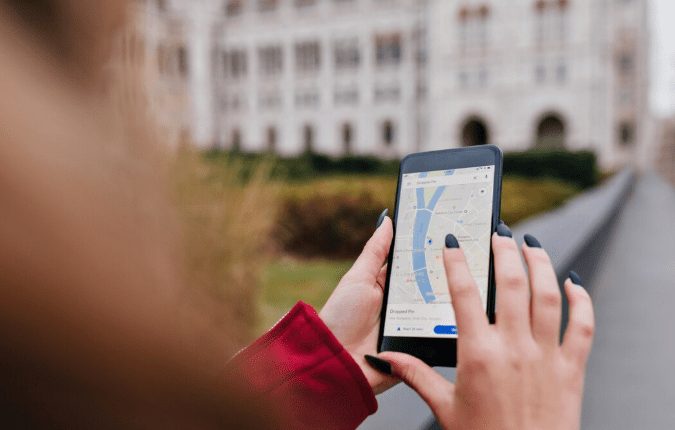
It’s a little annoying that more people don’t turn off location on Android since it’s much simpler than most people think. The quickest method is to locate the Location icon, which resembles a tiny pin, and tap it after swiping down from the top of your screen to bring up the Quick Settings panel. Location services are active if they are highlighted or colored. They can be turned off with a single tap. Android will alert you when certain apps might not work properly. That’s true, but it’s worth acknowledging.
Managing permissions app by app is a more surgical approach for those who don’t want to completely disable location—perhaps you rely on Maps or a weather app. This is located under Settings, Location, and App location permissions. Android divides apps into three groups: those that are always permitted, those that are only permitted when in use, and those that are never permitted. It is truly worthwhile to take ten minutes to go through that list and move anything suspicious into the “not allowed” column. In fact, there’s a certain quiet satisfaction to it.
Another option to think about is Find My Device. It’s a Google service that allows the person in charge of the device’s primary Google account to access your phone’s most recent location. That’s who they are for most people, and that’s okay. However, it becomes more crucial to disable that account if there’s a possibility that someone else has access to it, such as an ex-partner or a family member with complicated dynamics. You can turn it off by going to Settings, Security, and Find My Device. There is a real trade-off: that service will no longer assist you if you actually misplace your phone. It’s a matter of judgment.
People are surprised to learn that location tracking is not completely disabled even in airplane mode. Without a cellular connection, GPS keeps working, and as long as the device is powered on, it can still transmit or log location data when it reconnects. Turning off the phone is the only way to actually stop it all. Naturally, that isn’t a workable solution on a daily basis, but it is important when privacy concerns are more pressing.
The majority of people might not alter any of these settings today. This has always been the case with privacy tools: awareness is present, but implementation is more difficult. However, it’s worth acknowledging that a great deal of infrastructure has been developed around knowing your precise location at all times, and the majority of it is predicated on the idea that you won’t ever look closely enough to object. On Android, it takes roughly five minutes to look closely enough to detect an object. It looks like a sensible investment.
